
Showcase the people, organisations, and groups connected to your content
Add a new layer of discovery to your digital experience with rich Attributions

Attributions are reusable content records in the Pladia Console, used to represent the people, groups, cultures, and organisations that are part of your content.
They’re commonly used for things like artists, curators, species, language groups, speakers, research groups, conservation partners, and more, allowing the same Attribution to be linked across multiple Objects.
Until now, Attributions have been displayed as static text. Our latest release makes them a navigable content type across your digital experience.
This is a small change to your workflow, but a meaningful shift in how content is discovered by your visitors.
What's changed
Configure once
In the Console, you can:
- Add a hero image, name, and subtitle
- Build out rich content with Content Blocks (text, video, button blocks)
- Define structured properties
- Link related Objects
- Toggle a detail page on or off
Display everywhere
That same setup carries through to the experience.
- In Empower, visitors can tap an Attribution to open a dedicated page, explore related content, and see where it sits on the map.
- In Digital Labels, Attributions appear in-line on your Object pages. Visitors see the rich content card but can't click through, keeping the experience focused. They can explore the Object in greater detail by scanning the QR code to open it in Empower.

The outcome
This adds a new layer of discovery to your experience.
When a visitor opens an Object, they can follow a natural thread, for example, from that Object to the artist who made it, then to other works by that same artist. It’s a simple way to introduce more context and keep people exploring.
We expect Attributions to support more engaged sessions over time, by creating more natural paths between related content and giving visitors more reasons to continue exploring once something captures their interest.
Designed for flexibility
Attributions are flexible across multiple use cases.
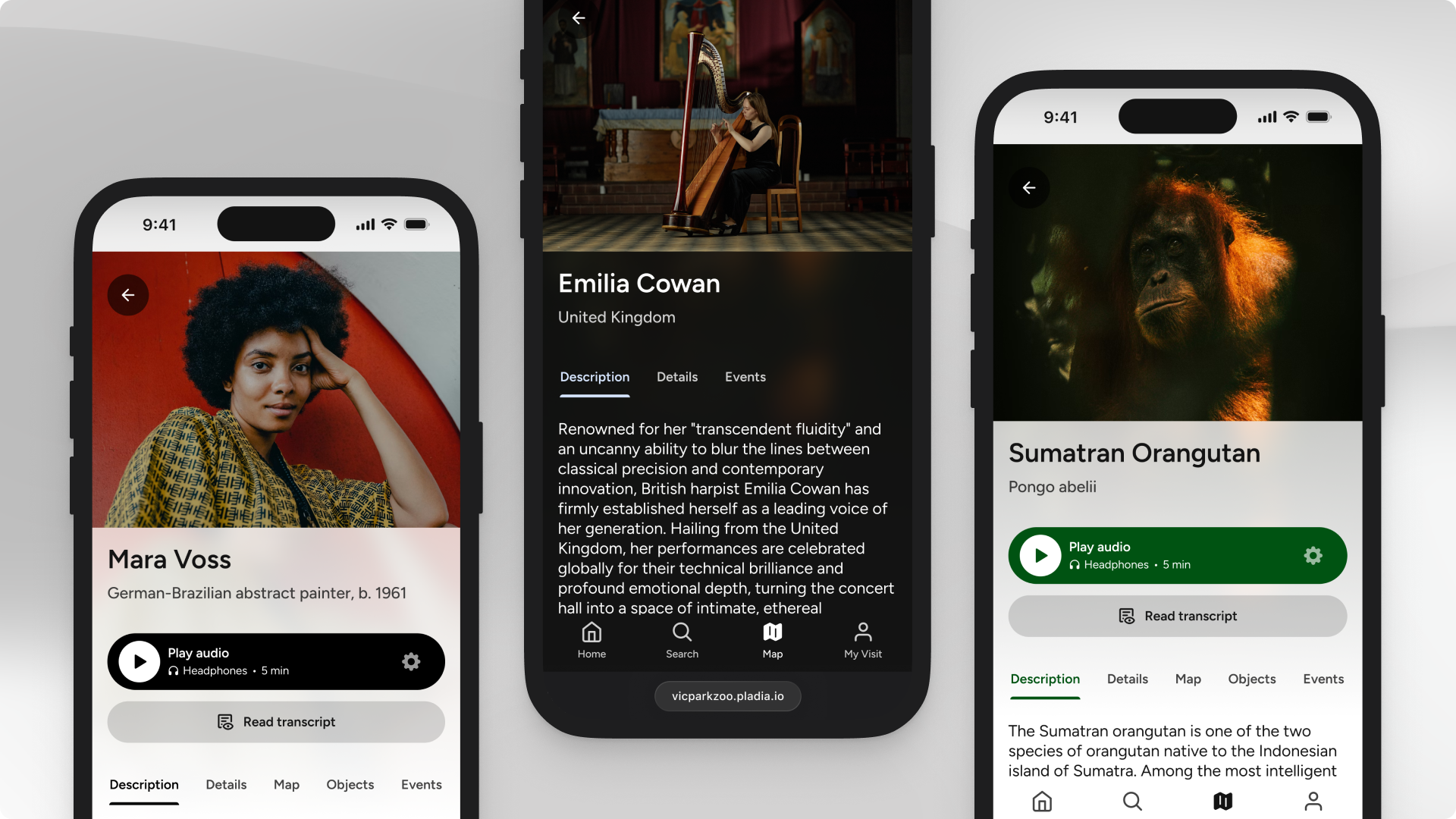
Cultural Institutions
Attributions give your artists, makers, and curators a proper presence in the visitor experience. Build out detail pages with biographical context, imagery, and a full view of linked works.
Use cases include:
- Artists
- Makers and craftspeople
- Curators and tour guides
- Cultures and regions
- Donors or loaning organisations
Zoos and Aquariums
Attributions bring the faces behind your programming into the experience, both human and animal. Visitors can connect exhibits, talks, and encounters to the animals and people they relate to.
Use cases include:
- Individual animals
- Species
- Keepers
- Conservation partners
- Guided tour hosts
- Animal groups or herds
Colleges and Universities
Campus experiences are built around people and disciplines. Attributions let you put the right faces and expertise behind tours, talks, and programming, giving visitors context about who they’re hearing from and why it matters.
Use cases include:
- Faculty speakers
- Tour guides
- Academic departments or schools
- Research groups or institutes
- Visiting speakers or artists-in-residence
- Supporting organisations
Precincts and Mixed-Use Venues
In a precinct, the “who” behind the programming matters, from the artists whose work fills your spaces to the partners who make it possible.
Use cases include:
- Resident artists or collectives
- Street artists or muralists
- Sponsors and supporting partners
- Cultural groups
- Tour or experience hosts
- Donor or naming rights partners
Getting started
If you have questions about how to get started or want to talk through how Attributions might work for your specific setup, reach out to your Customer Success Manager. They're happy to help you with your content strategy.
